
Google Docs and Sheets
Docs, Sheets, and Word or Excel files uploaded to Google Drive — with suggestions, tables and style mapping.
InDesign plugin · styles stay put
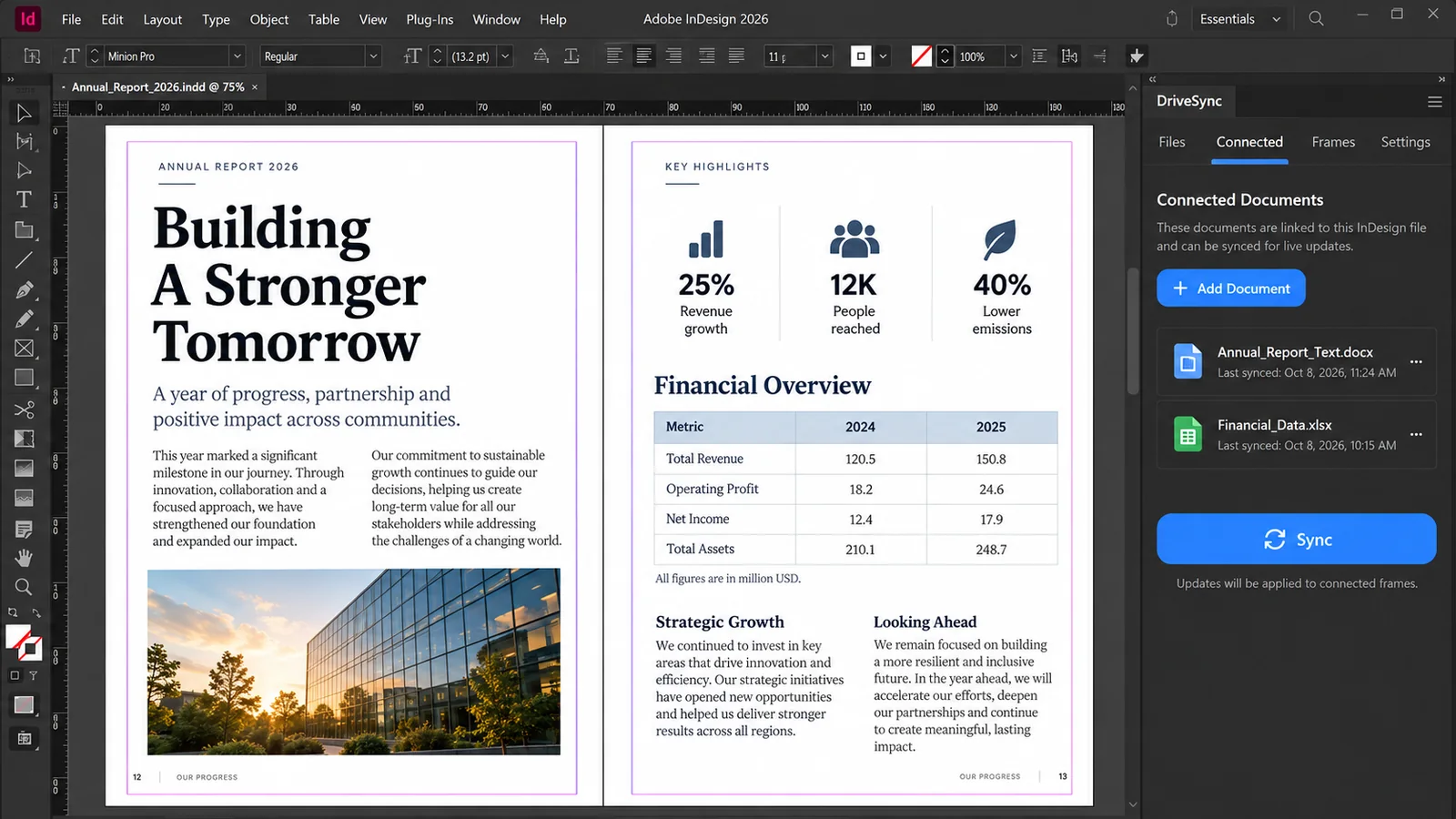
Link a Google Doc, OneDrive file or Word file to any text frame. When the writer edits, press Sync — the words update and your styles stay exactly as you set them.
Free for 30 days No card required · every feature · then from $29 a year
Save 40% until 30 November, 2026
The problem
Paste from Google Docs and the formatting is stripped. Place the file again and your paragraph styles are wiped. So designers hunt down each edit by hand, copy it across and re-apply the styling — round after round, on pages that were already finished.
By hand
A day or more
per round of revisions on a long report: find every change, paste it in, restyle it, rebuild the tables, check nothing moved.
With DriveSync
One click
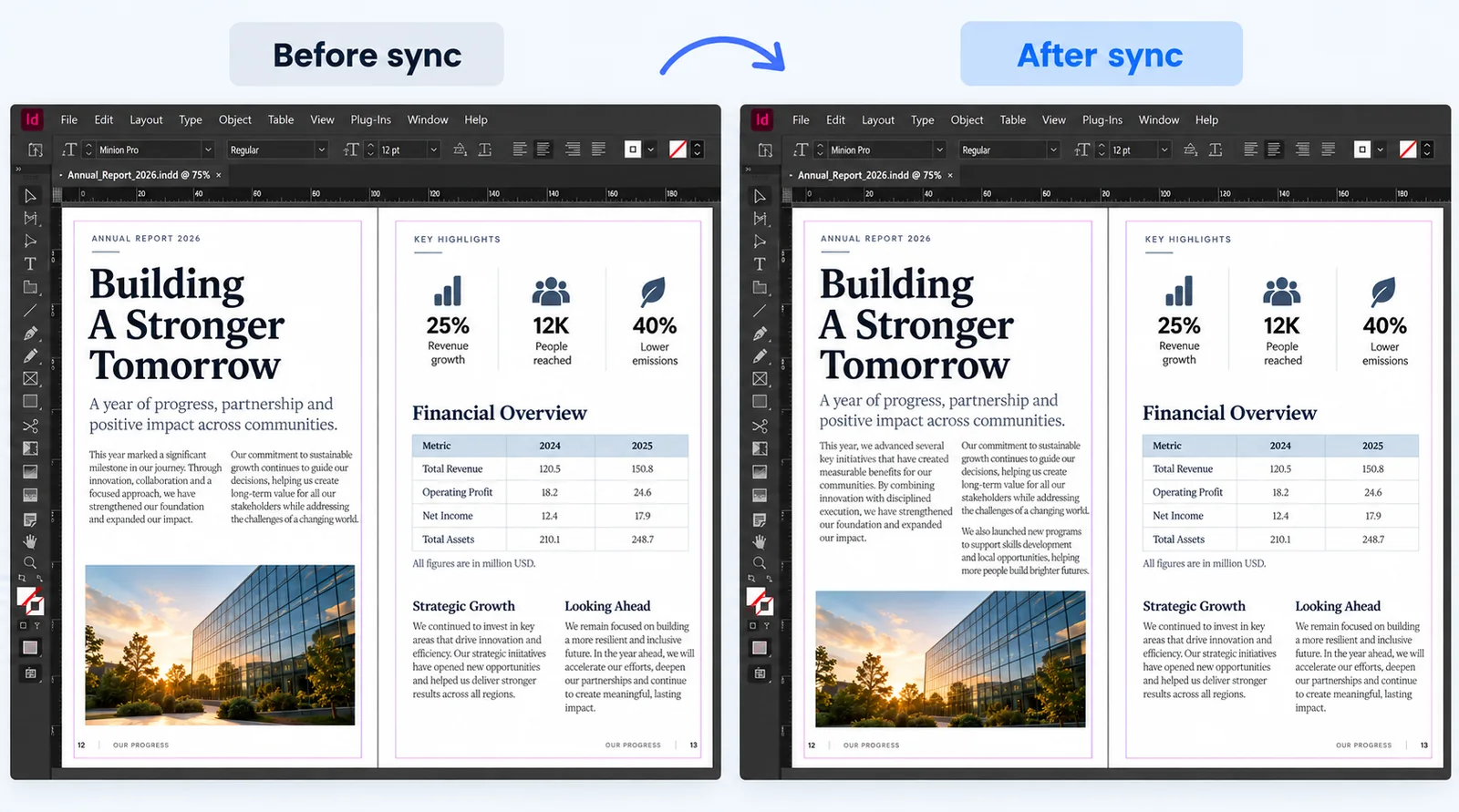
Press Sync. Only the changed words update, in the right paragraphs, with every style and table width untouched.
A Solo licence is $29 a year — less than the time you would spend re-keying a single round of changes.
How it works
Pick a Google Doc, a OneDrive file or a Word file on your computer, and choose the text frame it flows into.
They edit where they already work. Writers, editors and clients don’t install anything or change a thing.
DriveSync flags the files that have changed. One click brings the new words in and leaves your layout alone.
The promise
Every decision in DriveSync comes down to which of these two columns a thing belongs in. When we are unsure, it goes in the right-hand one.
Only the words, and only where the writer changed them.
This is the part you spent three weeks on.
Wherever the copy lives
Writers don’t all keep their copy in the same place. DriveSync syncs from wherever it is, and every source follows the same rule: only the words change.
Docs, Sheets, and Word or Excel files uploaded to Google Drive — with suggestions, tables and style mapping.
Word documents and Excel workbooks stored in OneDrive, for teams that already work in Microsoft 365.
Pick a Word or Excel file from a local folder and sync it into a frame. Nothing has to be uploaded to the cloud first.
Pricing
Try everything free for 30 days first. If you buy and it isn’t right, tell us within fourteen days of paying and we refund the full amount.
Standard price $49 $29Save 40%
per year
For an independent designer.
Standard price $115 $69Save 40%
per year
For a small team.
Standard price $249 From $149Save 40%
per year
More seats, invoicing, and a conversation about your workflow.
Billed yearly. Seats are counted per computer, and you can move a seat to another machine yourself. Pricing and licence details
Download
Unzip, run the installer, then activate with the email address your licence was issued to. It takes a couple of minutes and needs no administrator rights.
Version 2.18.0 · released 15 October 2026 · Adobe InDesign 2026 only. Installation guide · Checksums and release details
Before you ask
No. DriveSync updates the words and leaves paragraph styles, character styles, local overrides, spacing and table column widths alone. Paragraphs are matched by their content, so a sentence added mid-document lands in the right place instead of shifting every style down.
No. Only the computers running InDesign with DriveSync need a licence. Writers, editors and clients keep working in Google Docs, OneDrive or Word, exactly as they do now.
Adobe InDesign 2026 on macOS and Windows. InDesign 2027 support arrives as a free update while your licence is active. InDesign 2025 and earlier are not supported. System requirements
No. It opens only the files you choose. Your documents travel directly between your computer and Google or Microsoft and never pass through our server, and files on your computer are never uploaded to us. Privacy and your data
Nothing is charged, because we never ask for a card. Buy a licence to keep syncing. Text already in your documents is ordinary InDesign text and stays exactly as it is.
Tell us within fourteen days of paying and we refund the full amount, with no questions about what you tried. Refund policy
Yes. DriveSync checks your licence each time it runs, and syncing from Google Drive or OneDrive needs the internet anyway.
No. There is no live cursor and no merging of simultaneous edits, and it will not design anything for you. DriveSync moves text and tables into a layout you have already built, and leaves the rest alone.
Who it is for
Studios and in-house teams typesetting annual reports, catalogues, magazines, journals, prospectuses and manuals from copy that other people write.
Annual reports · Product catalogues · Magazines and journals
Thirty days, every feature, no card required. If DriveSync cannot hold your styling on a real job, you will know within an afternoon.
Free 30-day trialNo card · from $29 a year
Start free trial