
How it works
Six steps, then one click forever
Setting DriveSync up on a document takes a few minutes. Every sync after that is a single click.
- Install the plugin and open it from Window Extensions DriveSync.The installer copies into your own user folder. No administrator rights are needed.
- Activate with the email address your licence is registered to.That computer now holds one seat of your licence.
- Sign in to Google in your own browser, to your own account.
- Add a Doc or Sheet through Google’s own file picker.DriveSync only ever receives access to the files you pick there.
- Label a frame in your InDesign layout and connect the file to it.
- Press Sync. Text and tables flow in. Your styling stays.
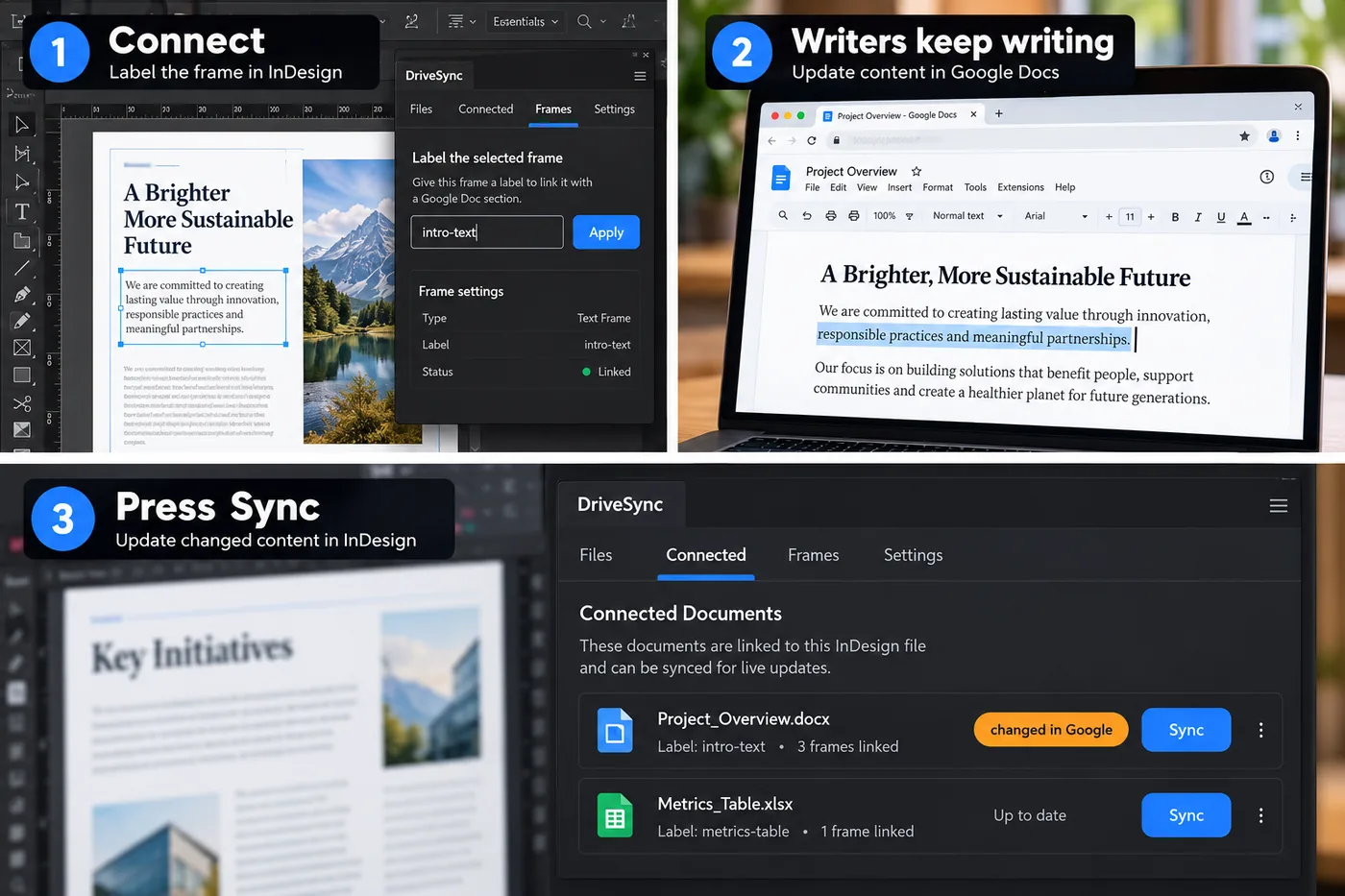
From then on, syncing is one click whenever the writer changes something. DriveSync checks connected files on a timer and flags the ones that have changed, so you can see at a glance what needs a sync.
Without DriveSync
How this is usually done
Most studios move copy from a Google Doc into a layout in one of two ways. Both cost more time with every round of revisions.
| Approach | Styling survives | Tables survive | Effort per revision |
|---|---|---|---|
| Copy, paste, restyle by hand | Only if you re-apply it | Rebuilt by hand | Hours, and it scales with page count |
| Place the text file again | No — overwritten | Re-imported, widths lost | Minutes, then hours of restyling |
| DriveSync | Yes | Yes, widths included | One click |
Scroll the table sideways to see every column.
What happens on the second sync
The first sync brings everything in: text, tables and — unless you have turned it off — images. Every sync after that is a careful update rather than a replacement.
Paragraphs are matched by their content, so a sentence inserted in the middle of the Doc lands in the middle of your story instead of shunting every paragraph style down by one. Table cells are rewritten in place, so column widths you narrowed by hand stay narrowed. Images are left exactly where you put them.
And if a change is large enough to replace most of a long story, DriveSync stops and tells you rather than doing it quietly.
Try it on the document that is annoying you most
Thirty days, every feature, no card required. If DriveSync cannot hold your styling on a real job, you will know within an afternoon.